iPhone Video Downloader Apps Compared
Saving a social video on an iPhone usually starts with a link. What happens next depends on the tool: you can open a downloader app, paste the link into a website, or run an Apple Shortcut from the Share Sheet.
This comparison focuses on iPhone apps and the differences that matter before you install one: supported platforms, how you start a save, where downloaded files go, and what the free version allows. It also covers when a website or Shortcut may be enough instead.
This is desk research based on App Store listings reviewed on October 26, 2026, not a hands-on test. Features described below are developer claims unless stated otherwise. "Not mentioned" means the listing did not confirm a feature; it does not mean the app lacks it.
Sources: linked App Store listings and project pages. Storefront and availability notes are included where relevant.
iPhone video downloader apps at a glance
| What it downloads | Video from TikTok, Instagram, X, Pinterest, Facebook |
|---|---|
| How you save | Copy-link workflow described (copy, then open the app); Share Sheet not mentioned |
| After downloading | Collections, favorites |
| Export | Sharing to other people |
| Additional features | In-app viewer for saved videos |
| Standout feature | Collections for rewatching saved videos |
| Price | Free with IAP: $1.99/week, $2.99/month, $34.99/year (US App Store) |
Take: a narrowly focused downloader with simple video organization. The yearly plan saves little over paying monthly.
| What it downloads | Video and audio from TikTok, Instagram, X, Facebook |
|---|---|
| How you save | Share Sheet, or pasting a copied link |
| After downloading | Audio extraction, favorites, search, quality choice |
| Export | Other apps |
| Additional features | Offline playback |
| Standout feature | Background download queue with resume |
| Price | Weekly $3.99, or Yearly $59.99 (confirmed on the US listing; marked as savings versus weekly) |
Take: a downloader focused on managing downloads. The weekly plan is expensive for ongoing use next to the yearly option.

| What it downloads | Video, photos, audio (YouTube, TikTok, Instagram, Vimeo, direct links, and 10+ other services) |
|---|---|
| How you save | Share Sheet (a link shared in from another app is queued), or tap the main button to grab a copied link |
| After downloading | Audio extraction, playlists, categories, search |
| Export | Photos, other apps |
| Additional features | EPUB/PDF reader, audiobooks, live TV, radio, podcasts, offline playback, background playback, Picture in Picture, sleep timer |
| Standout feature | Automatic downloading of subscribed YouTube channels and podcast episodes |
| Price | Free with a daily download limit; a rewarded ad unlocks more. Pro: $4.99/month, $29.99/year, or $59.99 lifetime. Ad-Free: $7.99 (US App Store) |
Take: a multi-feature media library built for regular use, suited to auto-filling a collection and keeping different kinds of content in one app.
| What it downloads | Video from Instagram, TikTok, X, Facebook, Reddit, Pinterest, Snapchat |
|---|---|
| How you save | Copy-link workflow described (copy, open the app, it auto-detects); Share Sheet not mentioned |
| After downloading | In-app library |
| Export | Photos, other apps |
| Additional features | Offline viewing |
| Standout feature | Claims watermark-free saving |
| Price | 5 free saves, then $0.99/week, $19.99/year, or $39.99 lifetime (US App Store) |
Take: a simple downloader with a small free limit. The lifetime purchase is worth considering if you only want downloading without an ongoing subscription.
| What it downloads | Video and photos from Instagram, TikTok |
|---|---|
| How you save | Pasting a link, or searching a public profile |
| After downloading | Bulk selection for reposting |
| Export | Other apps |
| Additional features | Browsing public profiles, no login required |
| Standout feature | Handles Instagram Stories, carousels, and other post types individually |
| Price | Free; Pro removes ads for $2.99/week, $9.99/month, or $29.99/year (US App Store) |
Take: a specialized Instagram and reposting tool. The monthly plan is expensive next to the rest of this list; the yearly plan is a much better deal.
Share Sheet vs. copy-and-paste saving
Share Sheet support is explicitly listed for Black Duck Media Library, Video Saver - Player, and InSaver. All Video Saver and Video Saver for TikTok Insta describe a copy-link workflow, but their listings do not confirm whether they also support the Share Sheet.
The practical difference is where you start: from the source app's Share Sheet, or by copying a link and opening the downloader. This research does not verify whether a Share Sheet action completes the save itself or opens the main app.
Websites and Apple Shortcuts
A website may be enough when you only need an occasional download and do not want another app. A Shortcut may suit you better when you prefer starting from the Share Sheet. Neither approach should be assumed to work with every platform or post type.
Before choosing either, check where the file is saved, whether processing depends on an external service, and whether additional setup is required.
- cobalt.tools: paste a link, saves video, audio, photo, or GIF. The page describes the content types it handles but does not list specific supported platforms.
- ssstik.io: TikTok only, claims watermark-free downloads at no cost.
Is Documents by Readdle a social video downloader?
Documents by Readdle is an adjacent option rather than a confirmed social-link downloader. The App Store listing reviewed describes a built-in browser with a download manager, folders, a media player, and cloud storage integration, but does not explicitly list downloading from Instagram, TikTok, or YouTube.
Which workflow should you choose?
For occasional saves, start by checking whether a website supports the link you have. If you save regularly, compare the apps' listed Share Sheet support, free limits, and export options. If you want to organize and revisit downloaded media, pay particular attention to the library features.
A Shortcut is another option if you are comfortable with its setup requirements and dependencies.
Where Black Duck Media Library fits
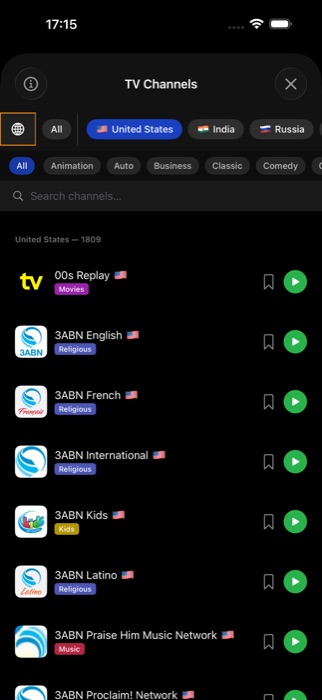
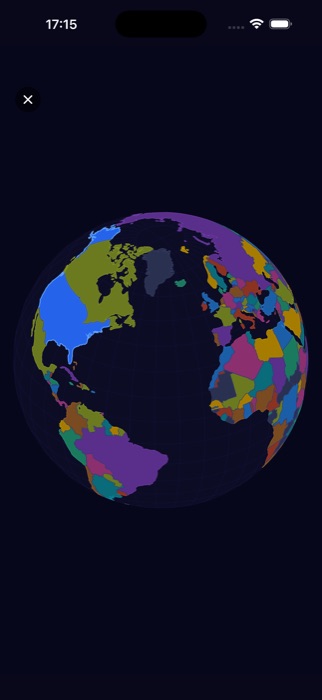
Black Duck Media Library is designed around keeping and using media after the download, not just saving a single video. Downloaded videos share a library with books, audiobooks, photos, and podcasts.
That makes it worth considering if you want downloading and media organization in one app. If you only need an occasional file, a dedicated saver or a website may be sufficient.
Black Duck Media Library also includes an EPUB/PDF reader and live TV and radio catalogs (current channel and station counts are shown on that page). These broaden its media-library offering; they are not part of the downloader comparison.

Availability and pricing notes
OneGrab and SaveInsta were excluded from the table because the App Store URLs checked during this review returned "The page you're looking for can't be found." This does not establish whether either app remains available in another storefront or under a different listing.
Prices reflect the storefronts and listings reviewed on October 26, 2026, in USD, and may change. Subscription periods, free limits, and included features differ, so compare the plan details, not just the headline price.
Downloading and reuse rights
A video being publicly reachable by a link isn't the same as having the right to reuse it. Several of the apps in this comparison say as much in their own terms. Save what's yours to save, and check the creator's terms before reposting anything you didn't make.
Disclosure: this article is published by the developer of Black Duck Media Library, which is included in the comparison. The same listing-based criteria are used for every app.